

The tool that solves the most annoying part of using airline miles
Points Path to the rescue.
“Using points is too much work.”
“I never know if I’m getting the best deal or making the right decision on when to use my points.”

“I don’t want to check multiple websites and apps just to book a flight.”
These statements are precisely the reasons why I use a tool called Points Path before I book a flight.
If you’re not familiar with it, Points Path is a browser extension that layers airline award pricing directly into Google Flights searches.
Here’s a sample search for round-trip flights from Houston to Philadelphia this summer in Google Flights.
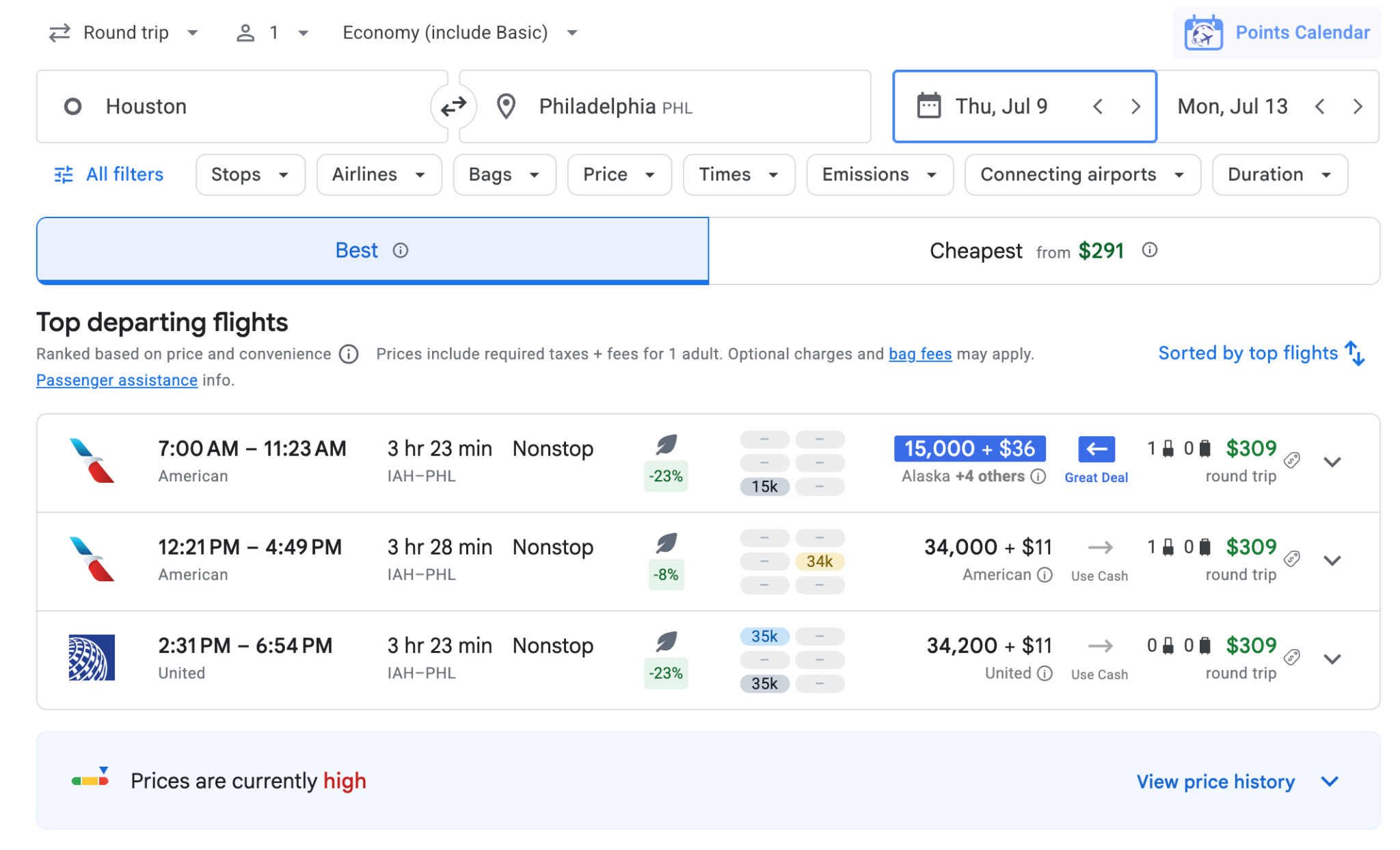
I can see that cash fares for my selected dates start at $309 round-trip.
Without doing any additional searches, I can also see that a few flights would cost around 34,000 United or American miles round-trip. That’s not the best redemption, but the side-by-side comparison is helpful.
Points Path also flagged a “great deal” option for the 7 a.m. American Airlines flight: only 15,000 Atmos Rewards.
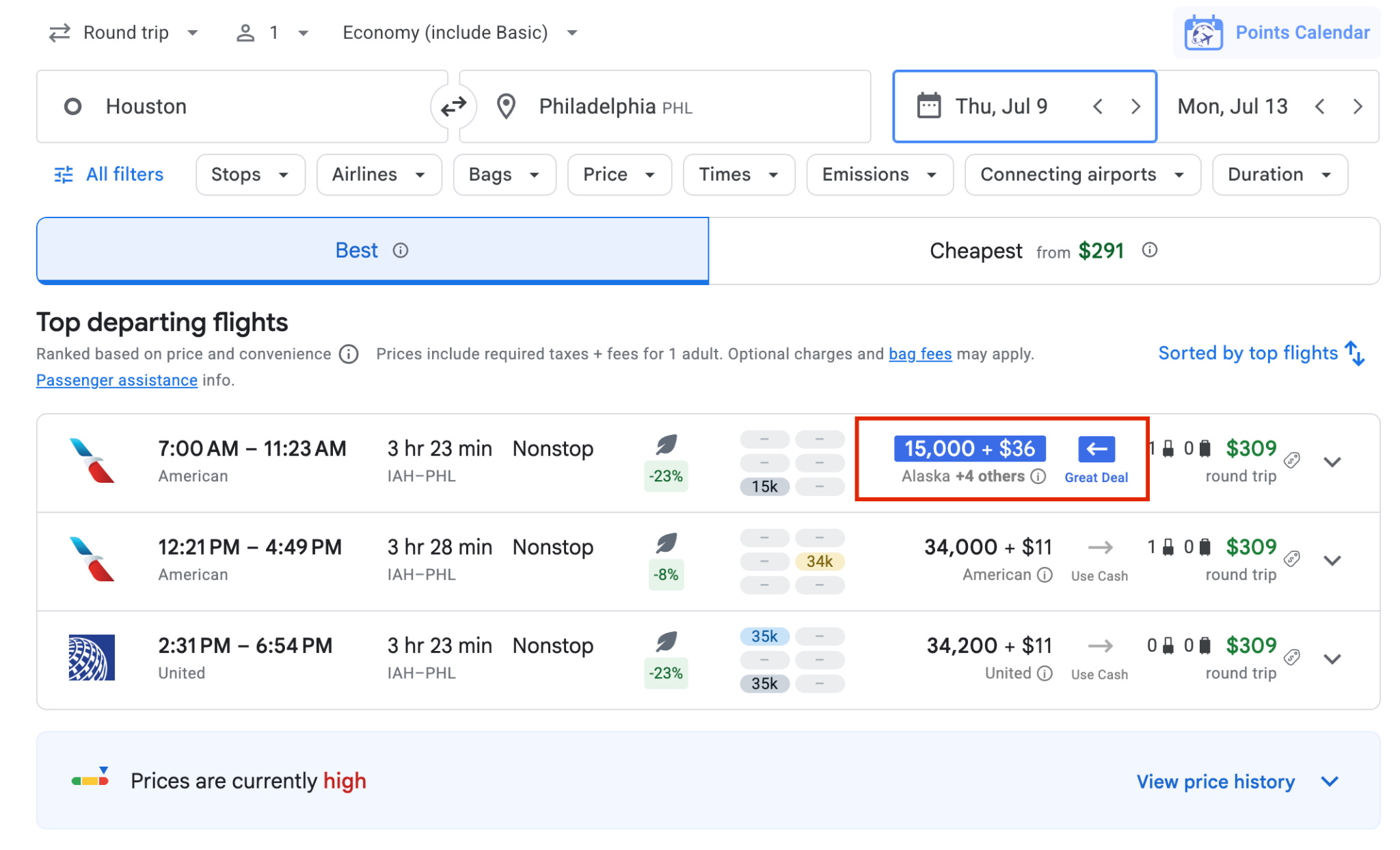
That’s the kind of thing most people would never discover manually unless they were deep enough into searching for airline awards to check several airline sites for the best redemption.
When I checked into the details, Points Path showed multiple ways to book that exact same flight — including using 15,000 Atmos points round-trip instead of paying $309 cash.
It also surfaced alternative programs, like American or Etihad miles, and displayed which transferable points currencies connect to those programs. In other words, it does the comparison shopping for you.
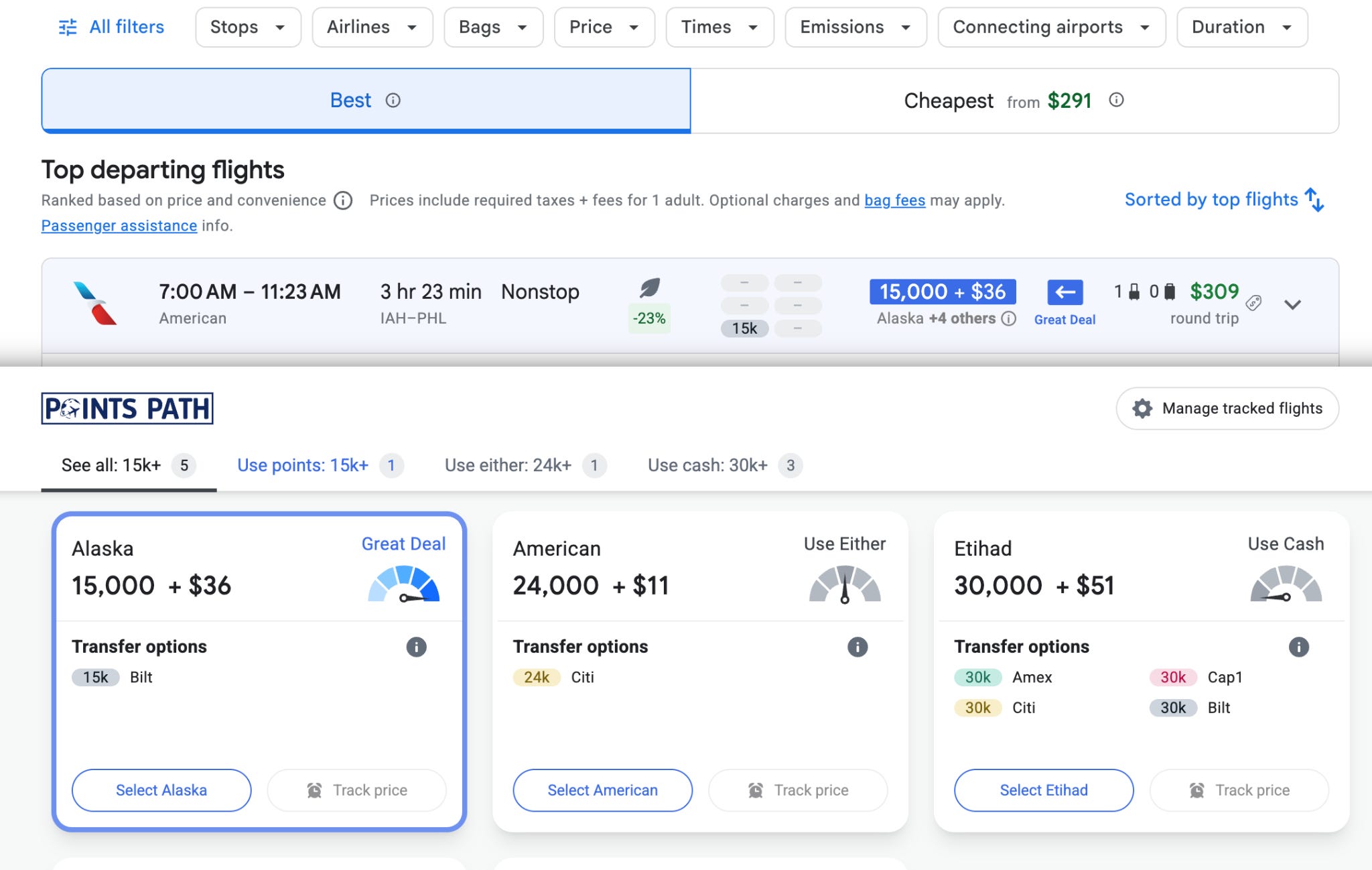
Points Path also estimates whether you’re getting a solid value for your points compared to typical redemption rates with “great deal”, “good deal”, “use either” or “use cash” flags.
Of course, the “best” redemption is ultimately the one that works for your budget and travel goals. But having that context helps prevent overpaying with points when cash might make more sense.
And because Points Path sits directly on top of Google Flights, you get all of that extra information without doing any additional searches or clicking over to another website.
One of the best things about Points Path is how quickly it exposes the wildly different award pricing.
Last year, it helped me realize I could book the exact same flight for either 7,500 miles, nearly 50,000 miles, or over $500 in cash, depending on how I booked.
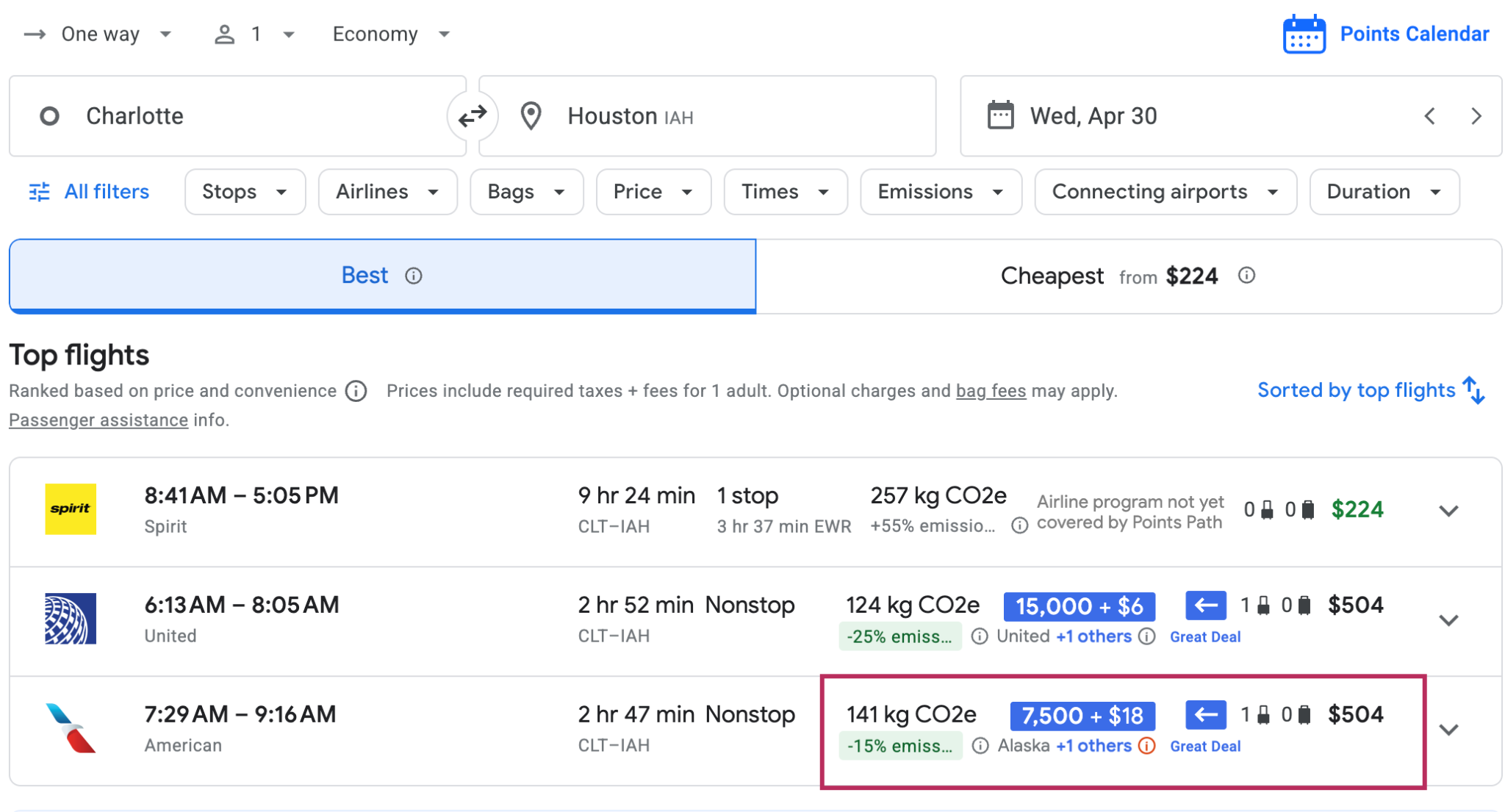
That’s the kind of mistake that’s incredibly easy to make when you’re booking awards manually — especially if you don’t know every transfer partner and sweet spot by heart.
Tools like this are honestly why award travel feels dramatically less intimidating than it did even a few years ago. That’s especially true for people who want to use their points without turning every booking into a research project.
If you want to try it yourself, here’s a full walkthrough on how to set up and use Points Path.
OK, so how much does this all cost?
The basic version of Points Path is totally free and covers major U.S. airline programs, including Alaska, American, Delta, JetBlue and United. Paid tiers add more international airlines, award alerts, personalized pricing and additional search tools.
Normally, the full Points Path Pro version, like the one I use, costs $79.99 annually.
If you’re curious to test it out, Talking Points paid subscribers can currently access an extended 60-day Points Path Pro free trial plus a discounted annual rate that will save you 30% a year after the trial ends.
Paid Talking Points subscribers can find the promo details for Points Path and other services here, or you can join as a paid subscriber for access to this and other goodies.
The best rewards travel tools today aren’t just helping people keep track of their points. They’re making it easier to actually use them. And it doesn’t get much easier than seeing the best ways to use your points without running a single extra search using Points Path.
 | A guest post by
|